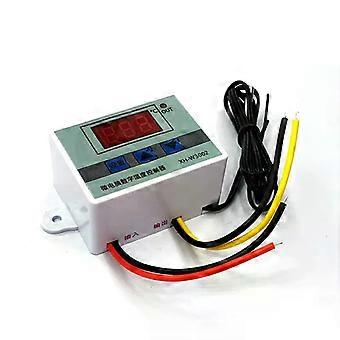
W3002 Digital LED Temperature Controller XH-W3002 Thermostat Control Switch DC12V 24V AC220V 10A

₺899,00
+ ₺521,49 Kargo

W3002 Digital LED Temperature Controller XH-W3002 Thermostat Control Switch DC12V 24V AC220V 10A
Satıcı:

₺899,00

Tasarruf etmek ₺4.791,00 (84%)

Önerilen Perakende Fiyatı

₺5.690,00
Stokta var
+ ₺521,49 Kargo

14 Günlük İade Politikası

Ödeme yöntemleri:

  • Marka: Unbranded

Tanım

W3002 Digital LED Temperature Controller XH-W3002 Thermostat Control Switch DC12V 24V AC220V 10A
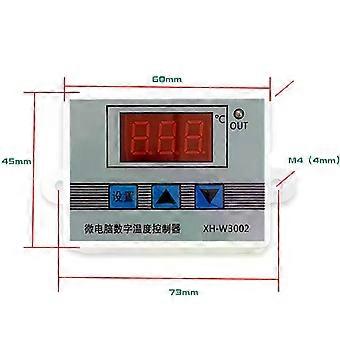
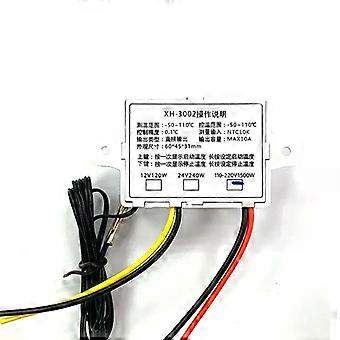
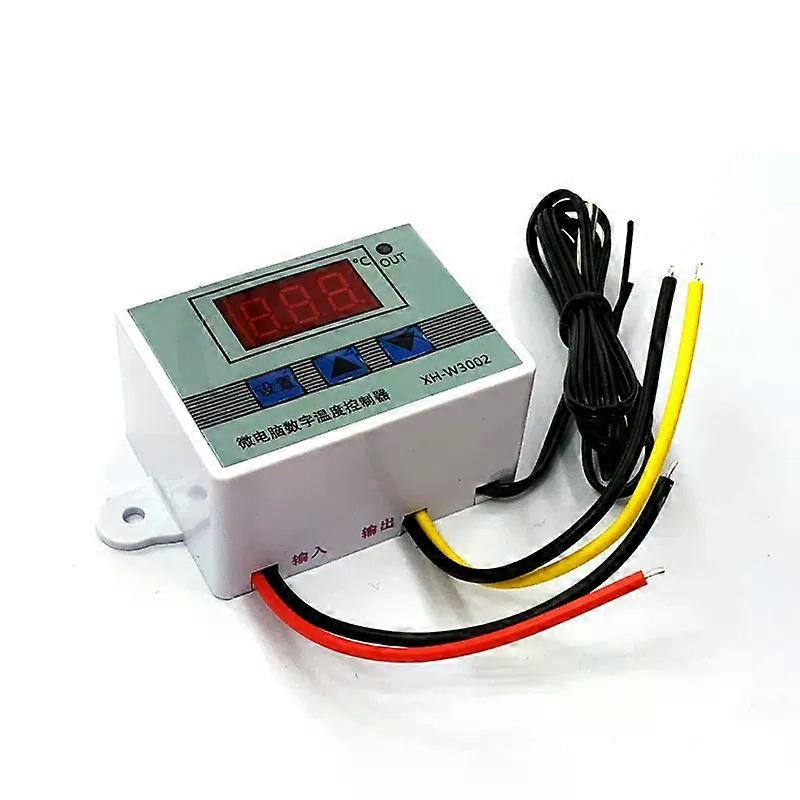
W3002 Digital LED Temperature Controller XH-W3002 Thermostat Control Switch DC12V 24V AC220V 10A W3002 Digital LED Temperature Controller XH-W3002 Thermostat Control Switch DC12V 24V AC220V 10A Name:Microcomputer temperature controller Product Model:XH-W3002 Temperature range:-50~110℃℃. Temperature control range:-50~110℃℃ Temperature measurement accuracy: ± 0.2 ℃ Temperature control accuracy: ±0.1℃. Measurement input: NTC10KL = 1 meter waterproof probe Input power:12/24/220V Output power: 120/240/1500W Output type: direct output Output capacity: 10A max Mounting hole distance: 73mm (hole diameter 4mm) P0 Set the startup temperature: Press the setup button to enter the internal menu, the default display is P0, press the setup button again to set the desired start temperature by pressing the up and down buttons. P1 Setting stop temperature: Press the setup button to enter the internal menu, the digital display is P0, switch to P1 by pressing the up and down buttons, press the setup button again and set the desired stop temperature by pressing the up and down buttons. P2 Setting temperature correction: The same way to enter the internal menu, switch to P2 by up and down buttons, press the setup key again, set the desired calibration temperature by up and down buttons. In the setting, if the detected temperature value is 0.5℃ larger than the actual temperature value, then the calibration temperature to be set is -0.5℃. If the detected temperature value is 1℃ smaller than the actual temperature value, the calibration temperature to be set is 1℃. Detection temperature ± calibration temperature = actual temperature. P3 Setting delayed start: The same way into the internal menu, through the up and down keys to switch to P3, once again press the setup key, through the up and down keys to set the required delay time (unit is minutes). Delay start is generally used for compressor refrigeration, if used in refrigerators and freezers, this value needs to be set, according to the size of the compressor back to the general set value of 3-6 minutes, if you are not used to control the compressor or do not need to delay the function, directly skip this item. Heating mode setting mode: Setting: start temperature < stop temperature (the program automatically determines the mode of operation for the heating mode) Setting method. Press the setup key to enter the internal menu, set the start temperature by setting the P0 value, set the stop temperature by setting the P1 value. Use case: Control the water heater, heating to 50 ℃ to stop, the temperature falls back to 40 ℃ to start heating again, how to set? Step 1: Make sure the working mode is heating mode, start temperature < stop temperature Step 2: Press setup key to enter the internal menu, select P0 and press setup key to set P0 value to 40℃℃ Step 3: Press setup key to enter the internal menu, select P1 and press setup key to set P1 value to 50℃. Cooling mode setting mode: Setting key:Start temperature>Stop temperature (the program automatically determines the working mode as refrigeration mode) Setting mode: Press setup key to enter internal menu, set start temperature by setting P0 value, set stop temperature by setting P1 value. Use case. Control cabinet radiator, heat dissipation to 26 ℃ to stop, the temperature rises to 30 ℃ to start the radiator again, how to set? Step 1: Make sure the working mode is cooling mode, start temperature > stop temperature. Step 2:Press Setup to enter the internal menu, select P0 and press Setup to set the P0 value to 30℃. Step 3:Press setup button to enter internal menu, select P1 and press setup button, set P1 value to 26℃. Tip: When setting the heating mode, if you don't set the heating mode, you can set the value of P1 to 26℃. When setting the heating mode, if the set temperature value is inverted accidentally, the output indicator will not light up and the load will not work, if the above situation occurs after the setting is completed, you can check whether the set temperature value is inverted or not. _x000D_
  • Fruugo Kimliği: 486904432-1008495011
  • EAN: 7970866923580

Ürün Güvenlik Bilgileri

Lütfen aşağıda özetlenen bu ürüne özel ürün güvenlik bilgilerine bakın.

Aşağıdaki bilgiler bu ürünü satan bağımsız üçüncü taraf perakendeci tarafından sağlanmaktadır.

Ürün Güvenlik Etiketleri

CE Mark
Güvenlik Uyarıları: WARNING! TO AVOID DANGER OF SUFFOCATION,KEEP AWAY FROM BABIES ANDCHILDREN. DO NOT USE IN CRIBS/BEDSOR PLAY PENS.THIS BAG IS NOT ATOY.
İçindekiler: Octinoxate 3.4490%
Üretici Parça Numarası: CJ990111
Model Numarası: CJ221888
Seri numarası: CJ200100
Parti Numarası: CJ665320

Teslimat

24 saat içinde kargoya verilir

  • STANDARD: ₺521,49 - Arasında teslimat Cum 04 Eylül 2026–Pzt 21 Eylül 2026

Kargo çıkış noktası Çin.

İadeler

Sipariş ettiğiniz ürünlerin size bütün ve belirttiğiniz özelliklere göre teslim edilmesi için elimizden gelenin en iyisini yapıyoruz. Fakat, bütün gelmeyen veya siparişiniz ettiğinizden farklı çıkan bir ürünün elinize ulaşması ya da siparişinizden başka bir sebepten ötürü memnun kalmamanız durumunda, siparişi veya siparişe dahil ürünlerden herhangi birini iade edebilir ve ürünler için tam para iadesi alabilirsiniz.

Tam iade politikasını görüntüle

Ürün Uyumluluk Ayrıntıları

Lütfen aşağıda özetlenen bu ürüne özel uyumluluk bilgilerine bakın.

Aşağıdaki bilgiler bu ürünü satan bağımsız üçüncü taraf perakendeci tarafından sağlanmaktadır.

Üretici:
Aşağıdaki bilgiler, Fruugo tarafında satılan bahsi geçen ürünün üreticisinin irtibat bilgilerini ortaya koymaktadır.

  • Shenzhen Yifan Chenbai Technology Co Ltd
  • Shenzhen Yifan Chenbai Technology Co., Ltd.
  • Unit 13A, Building A3, Xinmao Garden, No. 141 Minzhi Avenue, Minxin Community, Minzhi Street, Longhua District, Shenzhen
  • Shenzhen
  • CN
  • 518000
  • [email protected]
  • 15871587494

AB sınırları içerisindeki Sorumlu Kişi:
Aşağıdaki bilgiler AB sınırları içerisindeki Sorumlu Kişi’nin irtibat bilgilerini ortaya koymaktadır. Sorumlu kişi AB içerisinde konumlu olan atanmış iktisadi işlemcidir, Avrupa Birliği içerisinde satılan bahsi geçen ürün ile ilgili uygunluk yükümlülüklerinden sorumludur.

  • Vermilion Bird OU
  • Vermilion Bird OU
  • Tartu mnt 67/1-13b,Kesklinna linnaosa
  • Tallinn
  • Estonia
  • 10115
  • [email protected]
  • +372 54566729