2026 Suitable XH‑3002 Microcomputer Digital Temperature Controller Hatching Temperature Controller

₺74,00
+ ₺1.167,49 Kargo

2026 Suitable XH‑3002 Microcomputer Digital Temperature Controller Hatching Temperature Controller
  • Marka: Unbranded
Satıcı:

2026 Suitable XH‑3002 Microcomputer Digital Temperature Controller Hatching Temperature Controller
  • Marka: Unbranded

₺74,00

Tasarruf etmek ₺105,00 (58%)

Önerilen Perakende Fiyatı

₺179,00
Stokta var
+ ₺1.167,49 Kargo

14 Günlük İade Politikası

Satıcı:

₺74,00

Tasarruf etmek ₺105,00 (58%)

Önerilen Perakende Fiyatı

₺179,00
Stokta var
+ ₺1.167,49 Kargo

14 Günlük İade Politikası

Ödeme yöntemleri:

Tanım

2026 Suitable XH‑3002 Microcomputer Digital Temperature Controller Hatching Temperature Controller
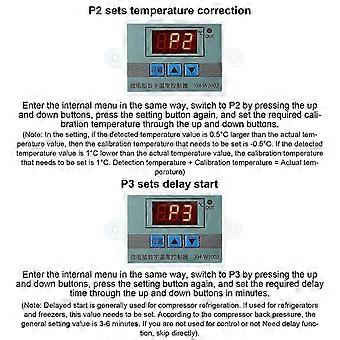
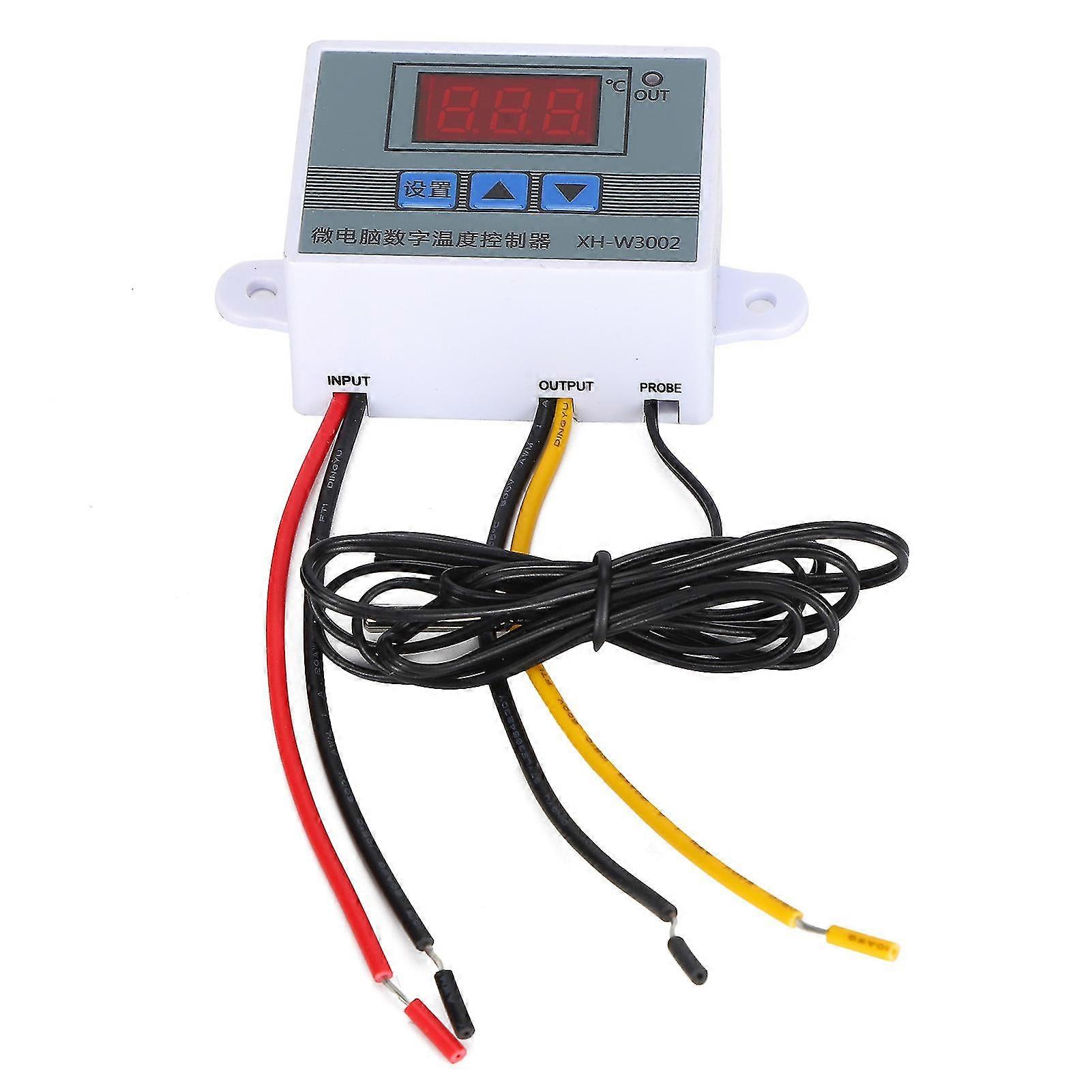
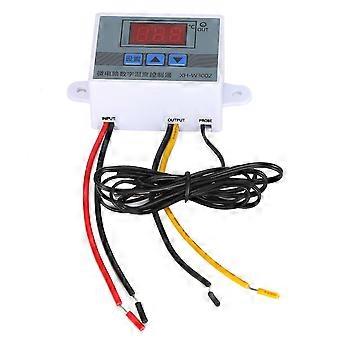
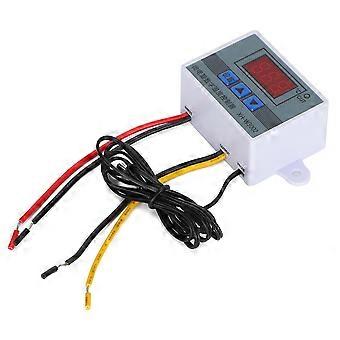
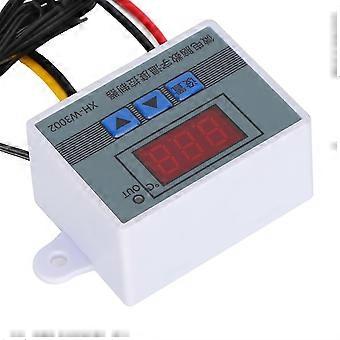
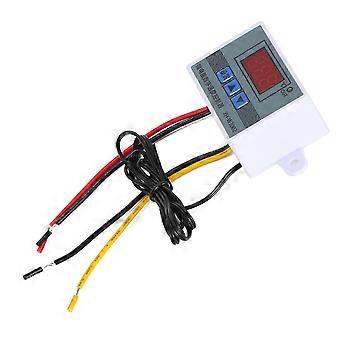
1、A variety of fields perfect use, convenient operation and practical settings, is your side temperature control housekeeper. 2、It is precise and reliable with good long‑term stability. Convenient for install and fixed. Small size, low power consumption, fast response. 3、Easy operation, to set start temperature, stop temperature, corrected temperature connector and so on. 4、Suitable for hatching, breeding, air and water temperature control and other related temperature detection and control. 5、Specifications are optional, precise temperature control, temperature calibration. 1 x Temperature Controller ItemType: Digital Temperature ControllerMaterial: PlasticWeight: Approx. 51g / 1.8ozOperating Voltage Specifications: 12V, 24V, 110-220VAccuracy Level: 0.1Temperature Measurement Range: -50-110 (℃)Temperature Measurement Accuracy: -15-65 (℃)Humidity Measurement Accuracy: 1 (RH)Temperature Measurement Error: ±1 (℃)Applicable Environment: -15-55℃ / 20%-85%RHProduct Embedded Hole Size: 73mm / 2.9in, Hole Diameter (φ4mm)How to use: 1. Press the setting button once to enter the internal menu, the default display is P0, press the setting button again, and set the required starting temperature through the up and down buttons. 2. Press the setting key once to enter the internal menu, the display is P0, switch to P1 through the up and down keys, press the setting key again, and set the required stop temperature through the up and down keys. 3. Enter the internal menu in the same way, switch to P2 through the up and down buttons, press the setting button again, and set the required calibration temperature through the up and down buttons. (Note: In the setting, if the detected temperature value is 0.5°C larger than the actual temperature value, then the calibration temperature that needs to be set is - 0.5°C. If the detected value is 1°C lower than the actual temperature value, the calibration temperature that needs to be set is 1°C. Detection temperature + Correction temperature = Actual temperature.) 4. Enter the internal menu in the same way, switch to P3 by pressing the up and down buttons, press the setting button again, and set the required delay time through the up and down buttons in minutes. (Note: Delayed start is generally used for compressor refrigeration. If it is used for refrigerators and freezers, this value needs to be set. According to the compressor back pressure, the general setting value is 3-6 minutes. If you are not used for control or no delay function is needed, just skip it.Temperature control mode 1. Setting essentials:Start temperature <stop temperature (the program automatically judges that the working mode is heating mode) 2. Setting method: press the setting key to enter the internal menu, set the start temperature through the P0 value, and set the stop temperature through the P1 valueUse case: Control the water heater, stop heating to 50°C, and start heating again when the temperature returns to 40°C, how to set it? 1. Make sure that the working mode is heating mode, starting temperature <stop temperature. 2. Press the setting key to enter the internal menu, select P0 to start the temperature and set the P0 value to 40°C. 3. Press the set key to enter the internal menu, select P1 to stop the temperature and set the value of P1 to 50℃Cooling mode 1. Setting essentials: start temperature> stop temperature (the program automatically judges that the working mode is cooling mode) 2. Setting method: Press the setting key to enter the internal menu, set the start temperature through the P0 sets the stop temperature through the P1 value.Use case: empty cabinet radiator, heat dissipation stops at 26℃, and the temperature rises to 30℃ to start the radiator again, how to set it? 1. Make sure the working mode is cooling mode, starting temperature>stop temperature. 2. Press the setting key to enter the internal menu, select P0 to start the temperature change and set the P0 value to 30°C. 3. Press the setting key to enter the internal menu, select P1 to stop the temperature and set the value of P1 to 26℃.
  • Fruugo Kimliği: 459732662-967956892
  • EAN: 6283461372532

Ürün Güvenlik Bilgileri

Lütfen aşağıda özetlenen bu ürüne özel ürün güvenlik bilgilerine bakın.

Aşağıdaki bilgiler bu ürünü satan bağımsız üçüncü taraf perakendeci tarafından sağlanmaktadır.

Ürün Güvenlik Etiketleri

CE Mark
Güvenlik Uyarıları: Not suitable for children under 36 months

Teslimat

24 saat içinde kargoya verilir

  • STANDARD: ₺1.167,49 - Arasında teslimat Pzt 06 Temmuz 2026–Sal 21 Temmuz 2026

Kargo çıkış noktası Çin.

İadeler

Sipariş ettiğiniz ürünlerin size bütün ve belirttiğiniz özelliklere göre teslim edilmesi için elimizden gelenin en iyisini yapıyoruz. Fakat, bütün gelmeyen veya siparişiniz ettiğinizden farklı çıkan bir ürünün elinize ulaşması ya da siparişinizden başka bir sebepten ötürü memnun kalmamanız durumunda, siparişi veya siparişe dahil ürünlerden herhangi birini iade edebilir ve ürünler için tam para iadesi alabilirsiniz.

Tam iade politikasını görüntüle

Ürün Uyumluluk Ayrıntıları

Lütfen aşağıda özetlenen bu ürüne özel uyumluluk bilgilerine bakın.

Aşağıdaki bilgiler bu ürünü satan bağımsız üçüncü taraf perakendeci tarafından sağlanmaktadır.

Üretici:
Aşağıdaki bilgiler, Fruugo tarafında satılan bahsi geçen ürünün üreticisinin irtibat bilgilerini ortaya koymaktadır.

  • Shaoshan Pengjin Trading Co.,Ltd.
  • Shaoshan Pengjin Trading Co.,Ltd.
  • 202, Resettlement Road, Shaorun Village, Shaoshan Township
  • Shaoshan
  • Hunan
  • CN
  • 411399
  • [email protected]
  • 19171741792

AB sınırları içerisindeki Sorumlu Kişi:
Aşağıdaki bilgiler AB sınırları içerisindeki Sorumlu Kişi’nin irtibat bilgilerini ortaya koymaktadır. Sorumlu kişi AB içerisinde konumlu olan atanmış iktisadi işlemcidir, Avrupa Birliği içerisinde satılan bahsi geçen ürün ile ilgili uygunluk yükümlülüklerinden sorumludur.

  • In Memoria Futuri SAS
  • In Memoria Futuri SAS
  • 3 RUE DU PAS DE LA MULE
  • Paris
  • France
  • 75004
  • [email protected]
  • 33745713901