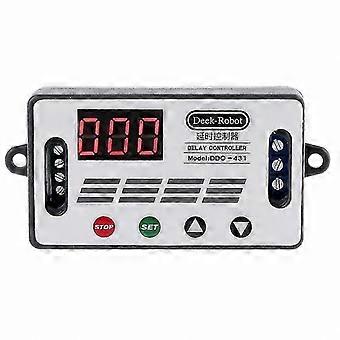
Digital Timer Delay Relay Switch for DC 6V-30V with Data Save Function Controller

TRY1,199.00
+ TRY758.99 Shipping

Digital Timer Delay Relay Switch for DC 6V-30V with Data Save Function Controller

  • Brand: Unbranded

Digital Timer Delay Relay Switch for DC 6V-30V with Data Save Function Controller

  • Brand: Unbranded
RRP: TRY1,849.00
Price: TRY1,199.00
You save: TRY650.00 (35%)
Sold by:
TRY1,199.00
+ TRY758.99 Shipping

In stock

14-Day Returns Policy

Payment methods:

Description

Digital Timer Delay Relay Switch for DC 6V-30V with Data Save Function Controller

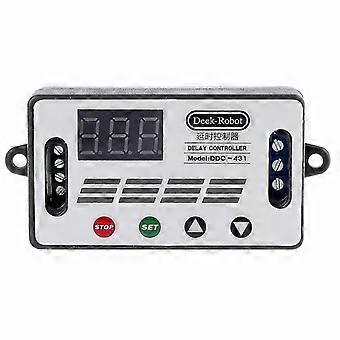
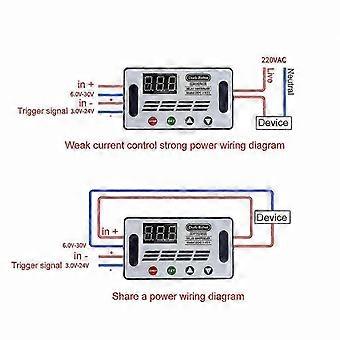
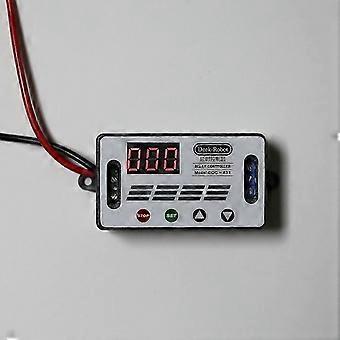
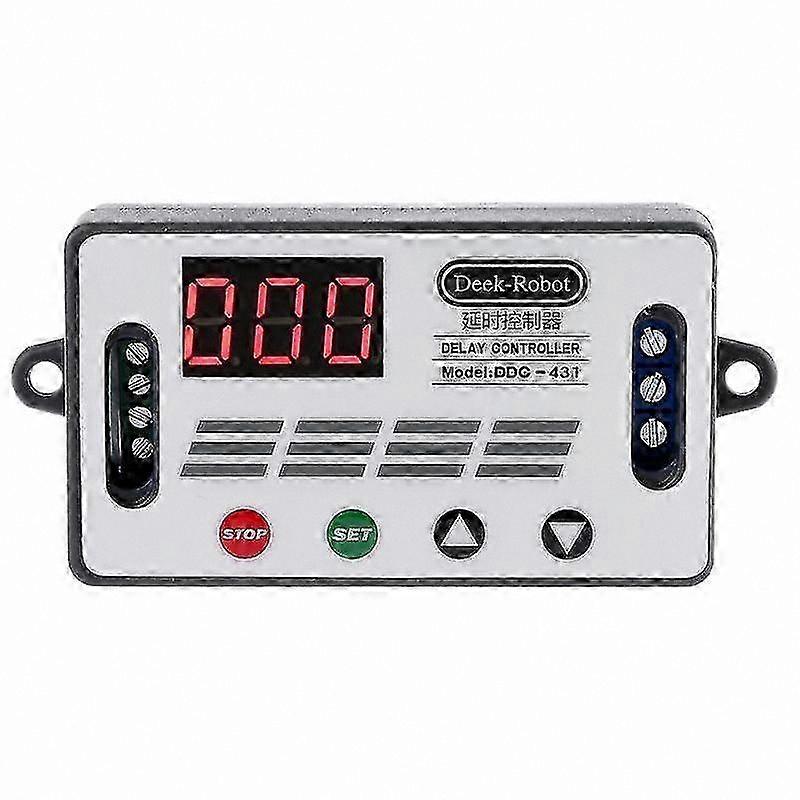
DC 12V DDC-431 Timer Delay Relay Switch Digital Data Save Delay Controller DC 6V-30V - Powerful function with one-button emergency stop (STOP button), reverse connection protection, no damage during reverse polarity, power-off memory - Features sleep mode: after 5 minutes of inactivity, display automatically turns off; wake by pressing any button - Supports independent settings for OP, CL, and LOP parameters; settings are saved automatically upon power down, meeting a wide range of application needs Product Manual: Working voltage: DC 6V–DC 30V (wide voltage with reverse polarity protection) Trigger signal source: High-level trigger DC 3.0V–24V; signal ground connected to system ground for improved anti-interference performance; can be shorted to ground Output capacity: DC 30V/10A or AC 250V/10A Product size: 64mm x 35mm x 19.3mm Mounting hole diameter: 3mm Operating temperature: -40°C to 85°C Operating Modes: P1 Mode: After signal trigger, relay turns on for OP time, then turns off. During OP time: P1.1: Signal triggered again P1.2: Signal re-triggers timing P1.3: Signal resets, relay disconnects, timing stops P2 Mode: Upon trigger signal, relay turns off for CL time, then turns on for OP time. After timing completes, relay turns off. P3.1: Trigger signal initiates relay on for OP time, off for CL time, then repeats cycle. Number of cycles (LOP) can be set. If signal is given again during cycle, relay disconnects and timing stops. P3.2: No trigger required after power-on. Relay turns on for OP time, off for CL time, and repeats cycle. Number of cycles (LOP) can be set. P4 Mode: Signal hold function. When trigger signal is present, timing resets and relay remains on. When signal is removed, relay turns off after OP timing. If signal reappears during timing, timing resets. Relay Enable Mode: ON: Relay can conduct during OP time OFF: Relay is disabled and remains off Short press STOP button on main interface to switch between ON and OFF. Current state flashes briefly before returning to main interface. This provides emergency stop functionality. Sleep Mode (long press STOP to view current mode): C-P Sleep Mode: Display turns off automatically after 5 minutes of inactivity; program continues running O-d Normal Mode: Display remains on continuously Press and hold STOP button for 2 seconds to toggle between C-P and O-d modes. Current mode flashes briefly before returning to main interface. Timing Range Selection: After setting parameter in mode selection interface, press STOP button to select timing range: XXX. Decimal point at units place: 1 second to 999 seconds XX.X Decimal point at tenths place: 0.1 seconds to 99.9 seconds X.X.X All decimal points illuminated: 1 minute to 999 minutes Example: To set OP to 3.2 seconds, set decimal point to tenths place; display shows 03.2 Parameters: OP – On time CL – Off time LOP – Cycle count (1–999); 0 indicates infinite loop Parameters are independent and shared across modes. For example, if OP is set to 5 seconds in P1.1, switching to P1.2 will retain OP = 5 seconds unless changed. Display 000 on main interface and press SET button to view OPL, LOP, and corresponding values In modes with only OP (e.g., P1.1, P1.2, P1.3), short press SET to display OP and time In modes with OP, CL, LOP (e.g., P3.1, P3.2), short press SET to display OP, CL, and LOP with respective values After mode setup, press SET on main interface to easily review current mode parameters Parameter Setting Procedure: 1) Determine desired relay operating mode 2) From main interface (module displays current mode on power-up, default P1.1), press and hold SET button for 2 seconds, then release to enter mode selection interface 3) Select desired mode for configuration
  • Fruugo ID: 405214894-859612189
  • EAN: 8324364702694

Delivery & Returns

Dispatched within 3 days

  • STANDARD: TRY758.99 - Delivery between Thu 15 January 2026–Tue 27 January 2026

Shipping from China.

We do our best to ensure that the products that you order are delivered to you in full and according to your specifications. However, should you receive an incomplete order, or items different from the ones you ordered, or there is some other reason why you are not satisfied with the order, you may return the order, or any products included in the order, and receive a full refund for the items. View full return policy

Product Compliance Details

Please see the compliance information specific to this product outlined below.

The following information is provided by the independent third-party retailer selling this product.

Manufacturer
The following information outlines the contact details for the manufacturer of the relevant product sold on Fruugo.

  • Jiang Yan
  • Guangzhou Ruicai E-commerce Co., Ltd.
  • Room D2709, 203, 2nd Floor, No. 4, Yuejia 2nd Street,Shimen Street, Baiyun District,Guangzhou City,Guangdong Province
  • Guangzhou
  • CN
  • 510420
  • lu61027yeyamei632@163.com
  • 13192975727

Responsible Person in the EU
The following information outlines the contact information for the responsible person in the EU. The responsible person is the designated economic operator based in the EU who is responsible for the compliance obligations relating to the relevant product sold into the European Union.

  • Van Lavazza
  • Y & H S.R.L.
  • Via Gravina 21 MT matera,Trani,Puglia
  • Trani
  • Italy
  • 75100
  • itlyhsrl@gmail.com
  • 0039 3917722149